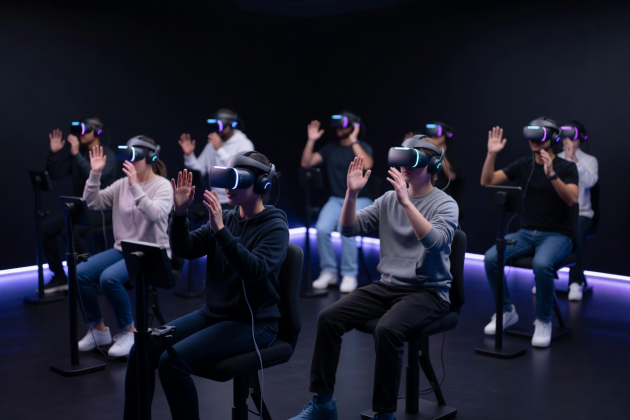
From watching to participating
What is an interactive entertainment world?
An interactive entertainment world is a digital or digitally enhanced environment where a visitor’s actions can influence what happens. The visitor might move through a room, choose a story path, manipulate virtual objects, solve a shared challenge, or communicate with other participants. Interaction ranges from a few simple choices to a central part of the experience.
The term covers different formats and equipment. Some experiences use a headset, while others use projection, a phone, a screen, motion tracking, or physical props. A colorful digital environment is not necessarily interactive, so look for a description of what visitors actually do.

In room-scale experiences, the boundaries of the physical space still matter.
Common formats
Social virtual reality
Social VR brings participants together in a shared digital environment. Depending on the platform, people may use avatars, voice chat, gestures, or shared activities to communicate. Some spaces are designed for games; others focus on conversation, events, or collaborative creation. Check how people join, whether accounts are required, and what controls are available for blocking, muting, or reporting other users.
Room-scale and free-roam experiences
Room-scale experiences track movement within a defined physical area. Free-roam formats may allow a group to move through a larger mapped space, often with staff instructions and specific safety rules. The virtual view does not remove real-world boundaries. Follow the venue’s guidance, avoid running unless explicitly permitted, and stop if equipment or tracking feels unclear.
Interactive narratives
A narrative experience may let visitors choose what to inspect, where to go, or how a scene unfolds. Some offer branching choices; others keep the story fixed while allowing viewers to explore at their own pace. Ask whether the experience is guided, whether choices affect the outcome, and whether the content includes intense scenes or sensory effects.
Augmented reality
Augmented reality adds digital elements to a view of the physical world, typically through a phone, tablet, or compatible eyewear. It can connect a digital character or instruction to a real setting without replacing the surroundings entirely. If an experience involves walking outdoors, pay attention to the environment and follow any instructions about safe use.
How much does the visitor control?
Interaction is not all-or-nothing. A visitor might trigger an effect by moving, make a decision that changes a scene, or freely manipulate objects. In a group experience, one person’s actions may affect everyone—or participants may each follow a separate path. The description should explain the role of movement, choices, collaboration, and any facilitator.
Consider the difference between presence and agency. Presence describes the feeling of being situated in an environment. Agency describes the ability to influence it. A visually convincing world can provide presence with little control; a simple environment can offer meaningful choices without photorealistic graphics.

The social design of an experience can be as important as its visual design.
Comfort, privacy, and group play
Headset movement, fast visual motion, flashing imagery, loud audio, and crowded spaces can affect comfort. If you are unsure, ask about seated options, breaks, content intensity, and how to stop or remove equipment. Tell staff if you feel dizzy, disoriented, or unwell, and follow the venue’s safety instructions.
Shared digital spaces can involve voice chat, avatars, usernames, or user-generated content. Before joining, find out whether participation is public or private, whether sessions are moderated, and what personal information is visible to other participants. For children, check age guidance, supervision requirements, communication settings, and the platform’s current safety tools.
What to ask before you book or join
- What equipment is used, and what actions can visitors take?
- Is the experience individual, cooperative, competitive, or mainly observational?
- How long is the full visit, including instructions and equipment fitting?
- Are there age limits, accessibility options, or content warnings?
- Can participants pause, opt out, or leave a session early?
- For online worlds, what privacy, moderation, and communication controls are available?
Good for
Interactive worlds can suit groups who enjoy collaborative challenges, visitors interested in participatory storytelling, and people curious about social digital spaces. Choose a format based on the kind of participation you want—not just the most impressive-looking equipment.
What to know
Every interactive experience makes different choices about movement, agency, social connection, and comfort. Venue policies, platform features, prices, and availability can change. Check current details with the operator or platform before planning a visit.
Compare venue-based formats in our VR destinations guide or explore room-scale cultural work in immersive museums and exhibitions. Questions and corrections are welcome through our contact page.